Smart Home and Home Automation Guide for Devanahalli Apartments 2026
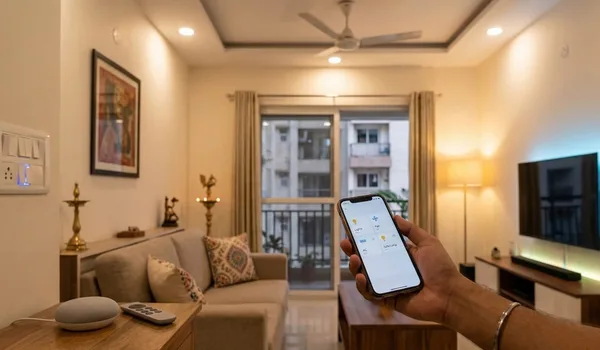
Smart-home features are now a standard talking point on the Devanahalli corridor, where township-scale projects compete on app-based access, video door phones and automated common areas as much as on clubhouses. For buyers, the promise is real convenience and security, but the marketing can blur what is genuinely useful against what is a gimmick you will never use. In 2026, knowing which automation earns its place, and which is just a brochure line, keeps your money on features that improve daily life and hold value.
This guide explains how home automation works in a new apartment near Devanahalli: which features matter most, what is built in versus what you can retrofit, how automation affects running cost and resale, and what to confirm before you sign. Read it alongside the clubhouse and amenities guide, since smart features and shared facilities together shape how a modern project actually lives.
Devanahalli Smart-Home Features Overview
The table groups the smart-home features buyers meet in new projects and what each one does.
| Feature | What it does | What to check |
|---|---|---|
| Video door phone | See and speak to visitors, linked to gate security | Whether it ties into the community security system |
| Smart lock and access | App or code entry to the home and common areas | Backup keys, battery life and reliability |
| Automated lighting | App, schedule or voice control of lights and scenes | Whether it is built in or a retrofit add-on |
| Climate and appliances | Control of AC, fans and select appliances remotely | Which points are pre-wired at handover |
| Smart metering | Track electricity, water and gas use digitally | Whether readings feed your bills accurately |
| Safety sensors | Leak, smoke, gas or motion alerts to your phone | How alerts reach you and who responds |
Guidance indicative, as of July 2026 — confirm which features are standard, optional or paid upgrades with the developer before you rely on them.
Which Smart Features Are Genuinely Useful
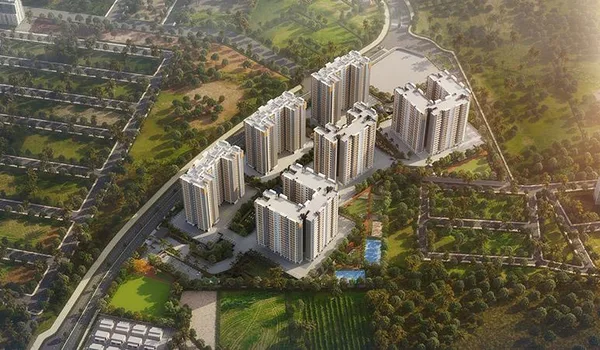
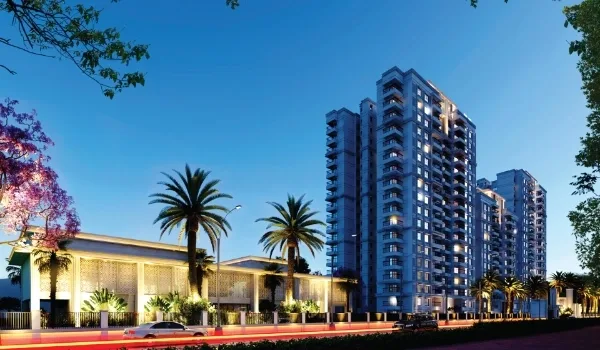
The features worth paying for are the everyday ones that improve safety and convenience without asking much of you. A video door phone tied to the gate lets you screen visitors and deliveries, which matters in a large township with a single controlled entry. App-based access and smart locks make life easier for families and guests and remove the worry of lost keys, while automated lighting and simple scenes cut daily friction and save a little power. Leak, smoke and gas sensors that alert your phone are quietly valuable, catching problems early in a home you may leave locked while travelling. The lead pre-launch on the corridor, Godrej Devanahalli by Godrej Properties, is a township-style project where such security and access features typically anchor the smart-home offering.
Against those, be wary of over-specified systems you will not use: voice control of every fitting, elaborate mood lighting or app-linked gadgets that add cost and complexity for little daily benefit. The best approach is to prioritise reliable security, access and safety first, then add convenience automation you will genuinely use. A clean, dependable core beats a long feature list that ages badly and frustrates you when one part stops talking to another.
- Security first: video door phone, app access and smart locks earn their place
- Safety sensors: leak, smoke and gas alerts protect a home you leave locked
- Everyday convenience: lighting scenes and remote climate control that you will use
- Skip the gimmicks: novelty automation adds cost and complexity, not value
Bottom line: prioritise security, access and safety features, then add only the convenience automation you will actually use.
Built-In, Retrofit, Running Cost and Resale
Automation planned at construction is neater: wiring, panels and sensors are integrated, common-area systems talk to your home, and there are no exposed add-ons. But a great deal can be retrofitted after possession, since smart locks, plugs, bulbs, cameras and sensors work over Wi-Fi without rewiring, so you are not locked out of a smart home if the base spec is modest. The trade-off is integration: built-in systems feel seamless but can tie you to one brand, while retrofit kits are flexible and upgradeable but need a reliable home network to hold together. Ask what the project provides as standard and what internet the developer supports, since good automation depends on good connectivity.
On running cost, basic devices add little, but integrated building systems, cameras and automated common areas need servicing and updates and can feed into monthly maintenance, so it is worth reading this next to the maintenance charges and sinking fund guide. On resale, well-integrated and reliable automation, especially security and access, can be a modest selling point, whereas dated or over-complex systems add little and may even put buyers off. Favour open, upgradeable choices over closed, one-brand setups that are hard to service years later.
- Built-in: seamless and integrated, but can lock you to one brand
- Retrofit: flexible and upgradeable, but needs a solid home network
- Running cost: integrated systems and cameras can feed into maintenance
- Resale: reliable, open, upgradeable automation ages best
Bottom line: weigh built-in polish against retrofit flexibility, mind the running cost, and choose open, upgradeable systems that hold value.
Turning Smart Features Into a Decision
Before you sign, get the smart-home spec in writing rather than trusting the brochure. Ask which features are standard and which are paid upgrades, whether the system is app and voice compatible, whether it is open or locked to a single brand, how it is serviced and updated after handover, and what internet the project provides. Test the video door phone, locks and app on your site visit if a show flat is ready, and confirm that backup keys and manual overrides exist for the days the technology misbehaves.
Then judge automation as one part of the home, not the headline. A sensible, reliable set of security and convenience features on a well-built, well-located apartment is worth more than a gadget-heavy spec on a weaker project. Prioritise the features you will use daily, keep room to upgrade later, and let build quality, location and running cost carry equal weight in the decision. Confirm the details, compare shortlisted projects on the same basis, and book a site visit before you commit.
Bottom line: get the smart-home spec in writing, judge it as one part of the home, and let daily usefulness and upgradeability guide the choice.
Frequently Asked Questions
1. What counts as a smart home in a Devanahalli apartment?
A smart home uses connected devices you can control from a phone or voice, such as app-based locks, a video door phone, automated lighting and climate, smart metering and sensors. Most new township projects offer a basic package, with deeper automation as an upgrade.
2. Which smart-home features are genuinely useful?
The most useful features are the everyday ones: a video door phone linked to security, app-based access and locks, smart lighting, and leak or smoke sensors. These improve safety and convenience daily, while novelty gadgets often go unused.
3. Can I add home automation to an apartment later?
Yes. Many devices such as smart locks, plugs, bulbs and cameras are retrofit and work over Wi-Fi without rewiring. Built-in automation planned at construction is neater and more integrated, but a lot can be added after possession.
4. Does a smart home add resale value?
Well-integrated, reliable automation can be a selling point, especially security and access features buyers value. Over-specified or dated systems add little, so sensible, upgradeable choices matter more than the number of gadgets.
5. Do smart-home features raise maintenance or running cost?
Basic devices add little to running cost, but integrated building systems, cameras and automated common areas need servicing and can feed into maintenance. Ask what the developer supports and what you maintain yourself.
6. What smart-home details should I confirm before buying?
Ask which features are standard versus paid upgrades, whether the system is app and voice compatible, how it is serviced and updated, whether it is open or locked to one brand, and what internet the project provides.
Conclusion
On the Devanahalli corridor, smart-home features are part of how modern townships present themselves, and they deserve a clear-eyed look rather than a brochure glance. The automation worth paying for is the everyday kind: a video door phone tied to security, app-based access and locks, sensible lighting and safety sensors that protect a home you leave locked. Weigh built-in integration against retrofit flexibility, mind how integrated systems feed into running cost, and favour open, upgradeable choices over closed setups that age badly. Get the spec in writing, test what you can on the site visit, and judge automation as one part of a well-built, well-located home. Treat smart features as useful support rather than the headline, and the right project on the corridor becomes a clearer, more confident choice.
Godrej Devanahalli Blog